Countdown widget

Countdown widget

Countdown is an iPhone app that supports beautiful widgets and is highly customizable. With this app, popular with millions of people around the world, you now always know how many days are left until your event!



Countdown widget
Every day is full of events-big and small. Morning workout, coffee with friends, lunch with colleagues, deadlines, evening meditation....
This list could be added to endlessly, but why?
It's easier to write down upcoming events in the Countdown app, and it will remind you of what's important, save what's yet to come, repeat what's yet to come back to! And all this is quick, easy and simple, literally in a few clicks!
The app allows you to count down the number of days, minutes or seconds left until the event you've recorded. It's easy to set a handy timer and track events by months, weeks, even years. The number of upcoming events is unlimited, as is the number of completed events. Edit them or delete them at will.
It's so pretty!
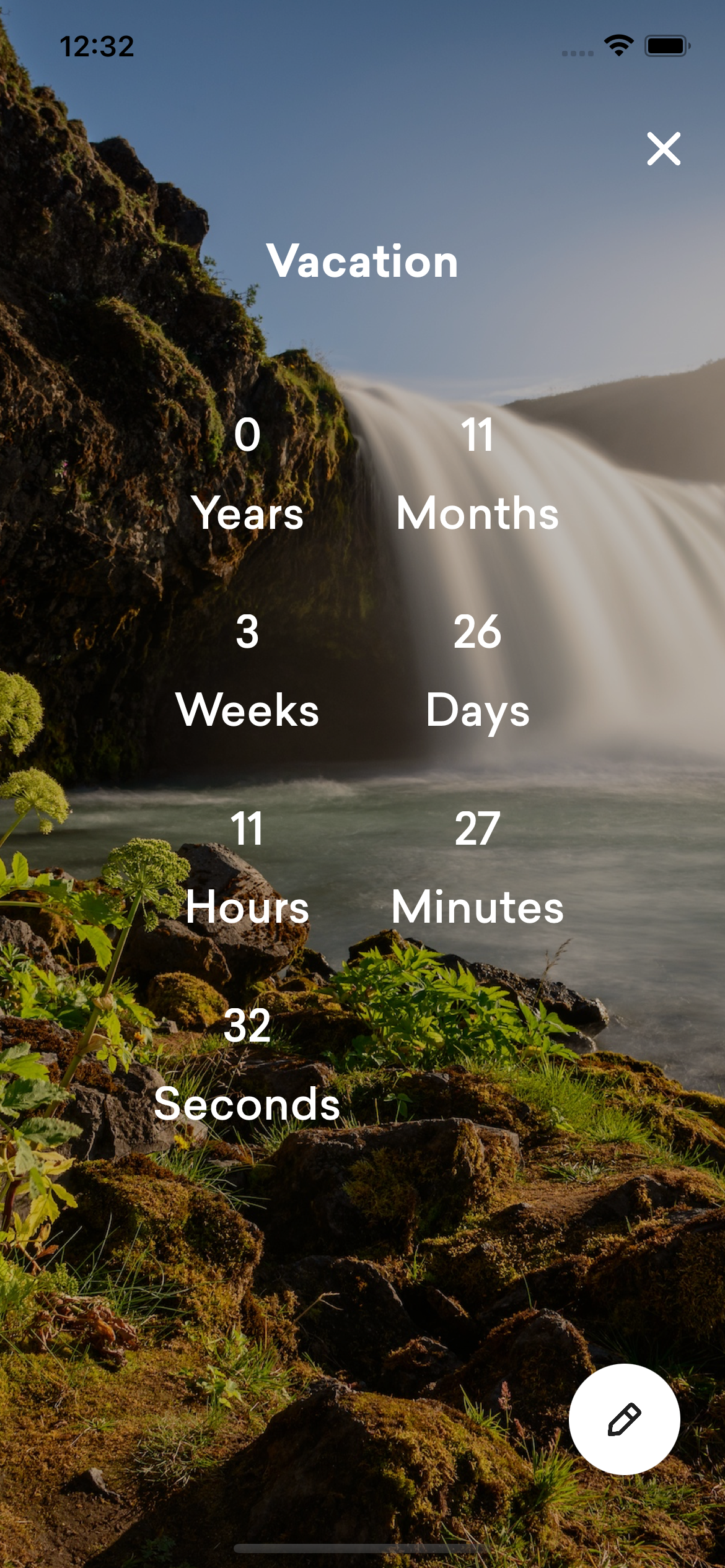
The Countdown app is considered one of the prettiest on the App Store. Millions of users around the world will tell you that! The beauty here is added by an intuitive interface and, of course, a lot of colorful images, among which you can choose the right picture for your event. What's more, it's possible to add your own photos from your Iphone media library. Selfies? A photo of your favorite pet? A well-received landscape? The choice is yours!
A wide color palette will come in handy if you don't need pictures. There's a whole toolbox here! Find the right color by moving the sliders, using a spectrum or color grid.
No end in sight
The app has the ability to count down several events at once, or rather, there can be as many as you want! Don't deny yourself the pleasure of setting the date of an important event, the premiere of your favorite movie, the birthday of a close friend. And the app will remind you of the event a day and/or a week in advance, so you'll have time to buy a gift or make a plan for the weekend!
But that's not all! Share your events with friends and colleagues by sending them the event in one click to their email, favorite social network and even via AirDrop. And a cool event with a cool design is definitely worth showing to the envy of your subscribers!
Attractive and neat
Receive push notifications on your Iphone. Watch the event countdown right from the home screen by adding the app to your Iphone smart stack. Edit the appearance - there is an option to view a single event as well as the entire list of installed events. Play with the interface as you see fit!
Features
- Ability to view events on the Iphone lock screen;
- Viewing events on the Apple Watch;
- Placing events on home screen widgets;
- Ability to share the event via social media, email, etc.
- Ability to choose a custom design for an upcoming event;
- Ability to save already completed events;
- Flexible settings of reminders about an upcoming event;
- Possibility to create an unlimited number of events;
- Events can be repeated annually - no need to add important dates to the calendar now;
- Possibility to select dark mode;
- Ability to sort events.
Please watch our video above.
Yes. In the free version, you can create one event and add any widgets to your screen, including a locked screen widget. If you need to add more events, please purchase the Premium version.
Yes, we support several types of widgets. You can select ready-made pictures or upload your own pictures from the media library.
When adding an event, you can set the "add event to calendar" switch, in which case your event will automatically appear in the calendar of your iPhone.
Yes, you can set up a notification mode when you add an event. We offer flexible notification settings.

Countdown widget